Apple Presence

2026

I designed Apple Presence during my UX Design Certification at BrainStation to explore how ambient, privacy-first technology could make digital connection feel more human through a research-first UX designed course.

Client

BrainStation UX Design

Category

Product Design

Role

UX Designer

TOOLS

Figma
Apple Presence Project Cover
Secret Spells
Secret Spells

Designed for Intentional Connection

Apple Presence explores how digital closeness could feel more intentional.

Instead of constant location sharing, it focuses on awareness by choice; giving people clearer control over when and how they are seen. The goal was to make connection feel easy and human, without compromising privacy.

The Problem with Location Sharing

Location sharing today operates in extremes. You are either visible or invisible.

Users expressed a desire for awareness without exposure and connection without constant tracking. The issue wasn’t functionality. It was comfort. Apple Presence begins by addressing that tension.

Research & Insights

Awareness Feels Comforting (Until It Doesn’t.)

People liked knowing where friends were in small, meaningful moments. But when visibility became constant, it started to feel uneasy.

Control Isn’t Where It Matters.

Most apps technically offer privacy settings, but they live in menus. Decisions about visibility rarely happen in the moment they matter.

Uncertainty Creates Discomfort.

When users aren’t sure who can see them or what’s being shared, trust breaks down quickly.

Context Changes Everything.

People don’t want to broadcast their location all the time. They want the ability to show up differently depending on the situation.

Two User Patterns Emerged

Research revealed two core behavioural types: the spontaneous connector and the boundary-setter. Apple Presence was designed to support both.

Carter: Spontaneous, Context-Driven

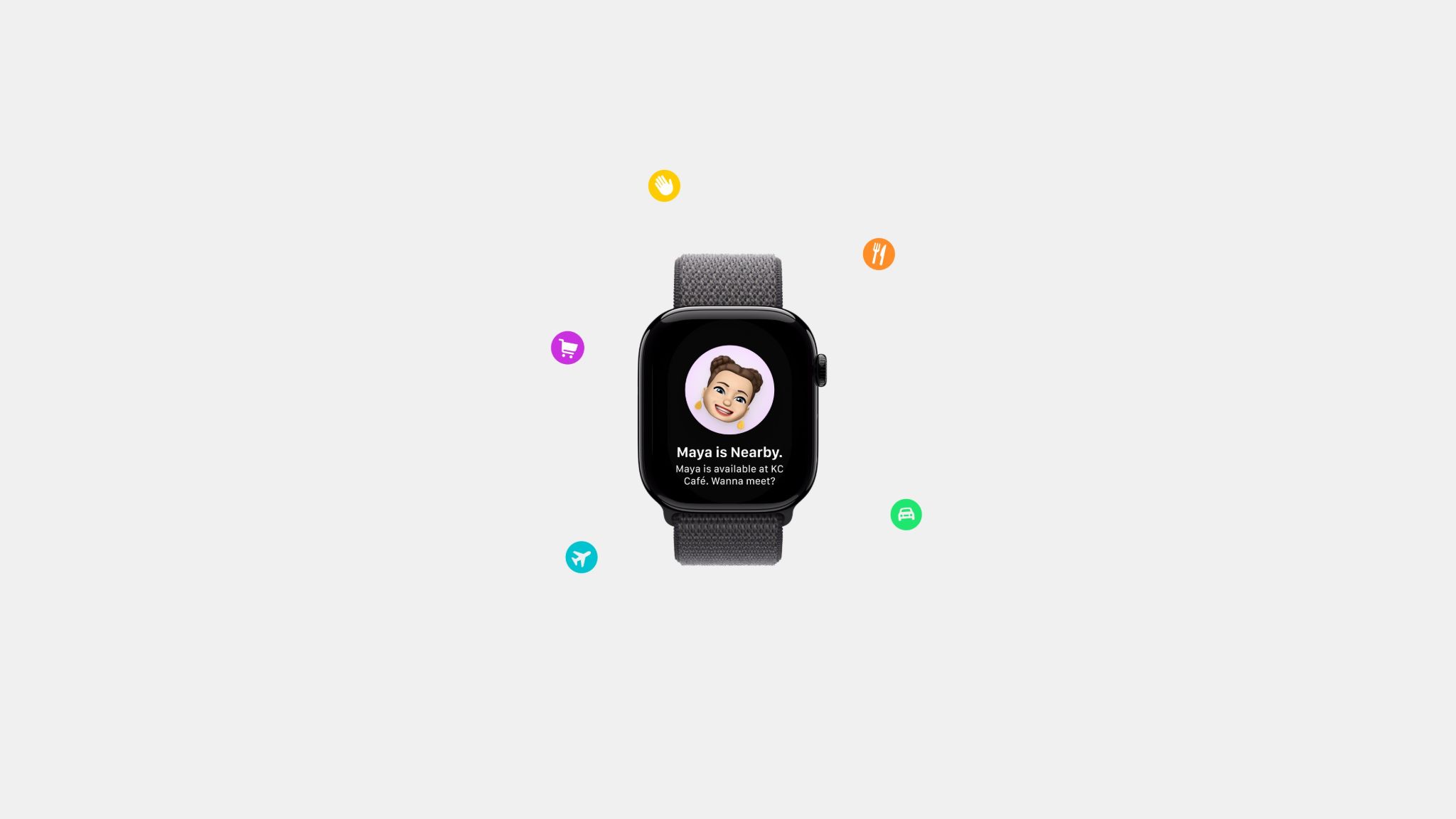
Moves throughout the day and frequently checks where friends are before reaching out. Wants connection to feel easy and low-effort.

Maya: Intentional, Boundary-Oriented

Keeps location sharing on for close friends, but values downtime. Wants to feel connected without feeling pressured to respond.

Built within Find My

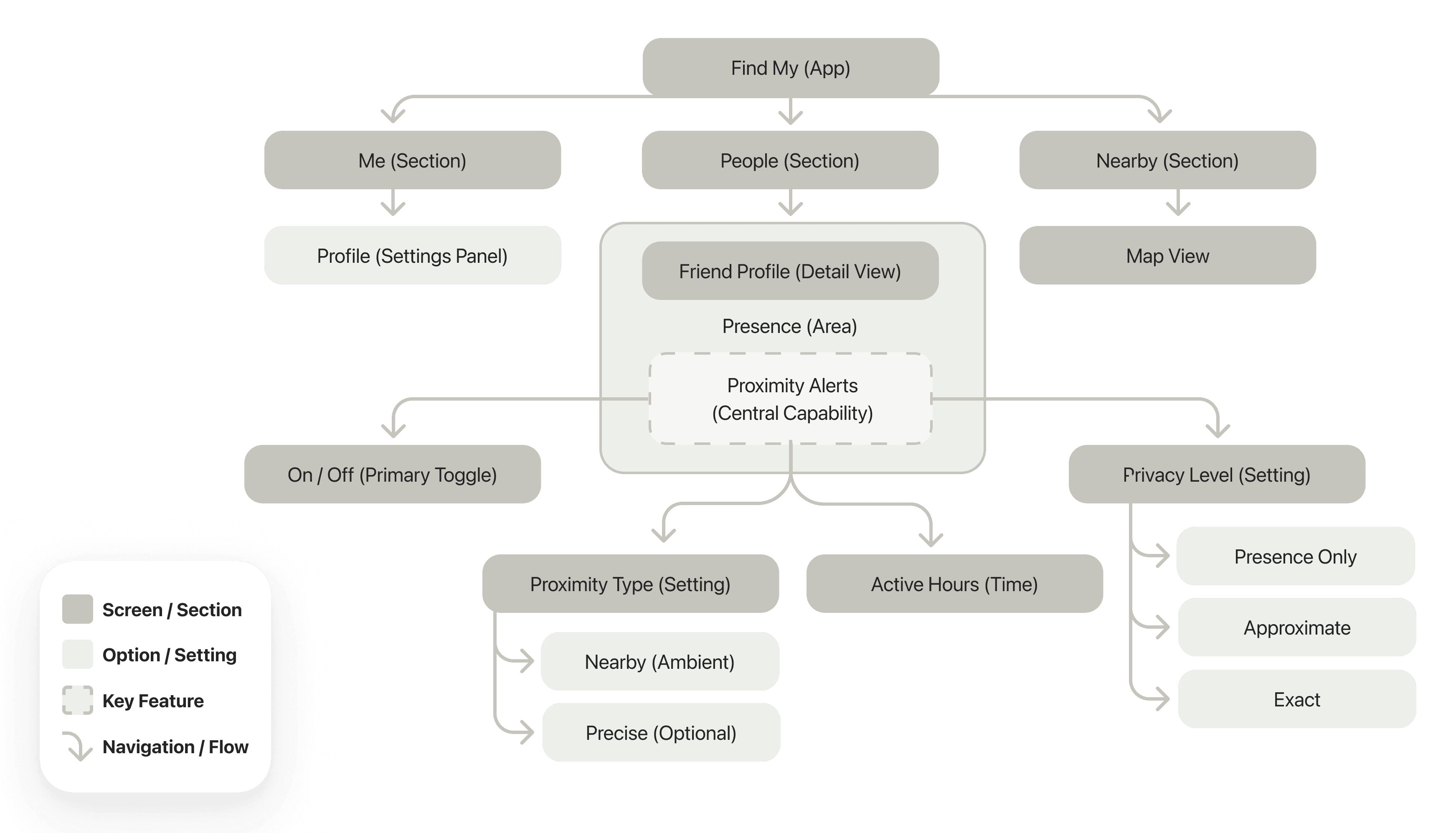
Apple Presence was designed as an extension of Find My, not a standalone app. The goal was to feel native to iOS while introducing a new layer of awareness.

The system is organized around three core areas:

  • People: Manage individual presence settings

  • Nearby: Ambient view of connections in proximity

  • Me: Control how and when you appear to others

This structure keeps awareness lightweight while making privacy controls easy to access.

How might we design a system that enables connection without compromising comfort and privacy?

Ideas & Interfaces

Early sketches focused on where presence should live within Find My. I explored different entry points, levels of visibility, and how privacy controls could feel integrated rather than buried.

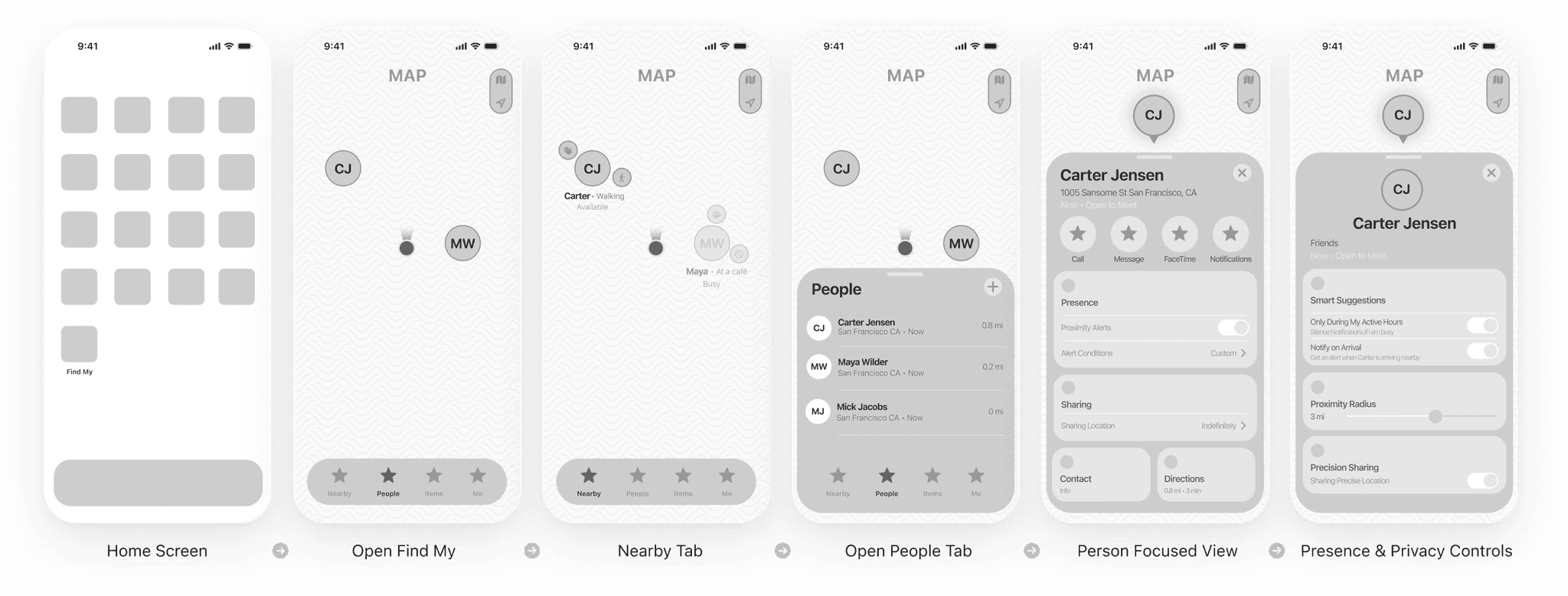
As the concept evolved, the structure became clearer: awareness begins at the map, deepens at the profile level, and resolves in privacy controls.

This progression shaped the wireframes and ultimately the prototype.

Ambient Awareness

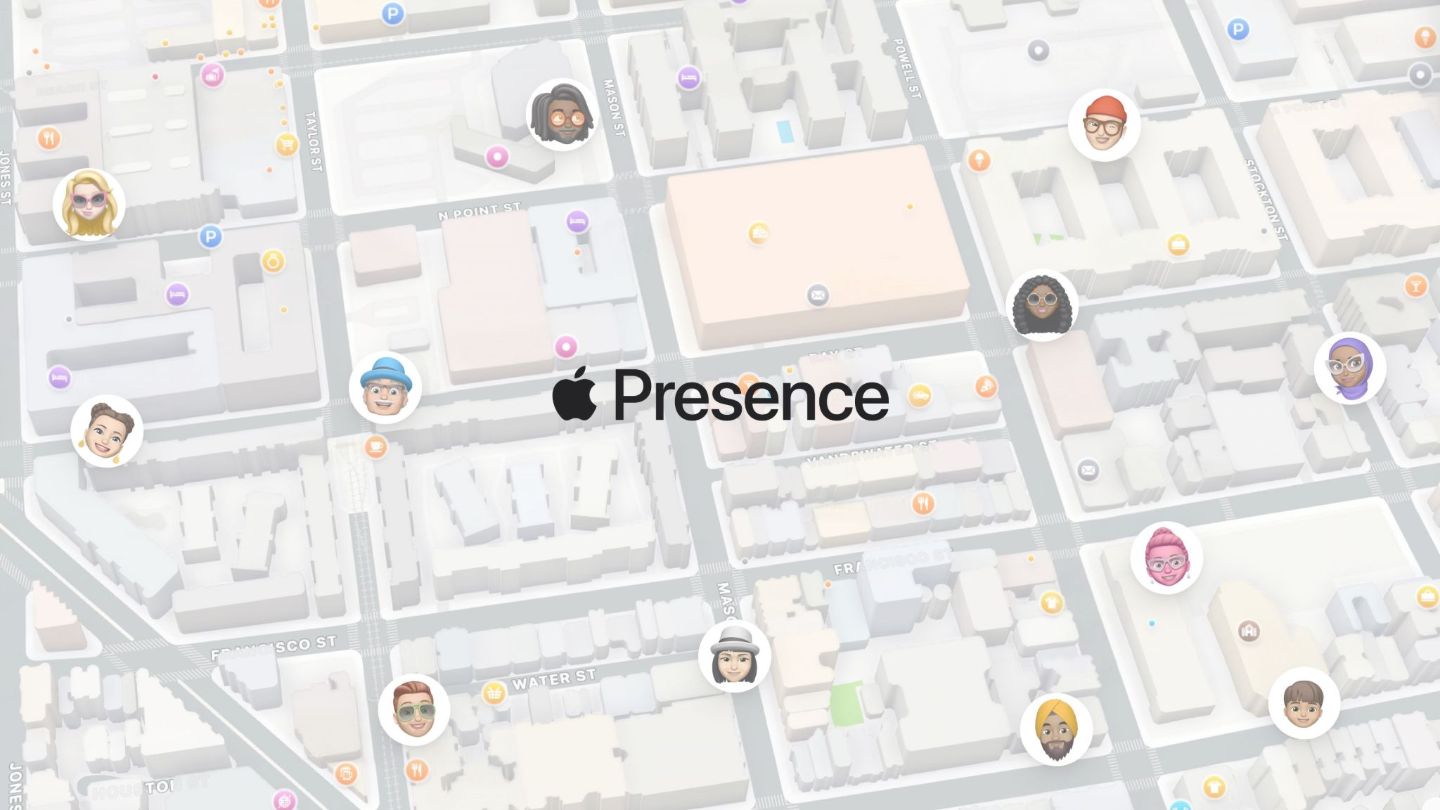
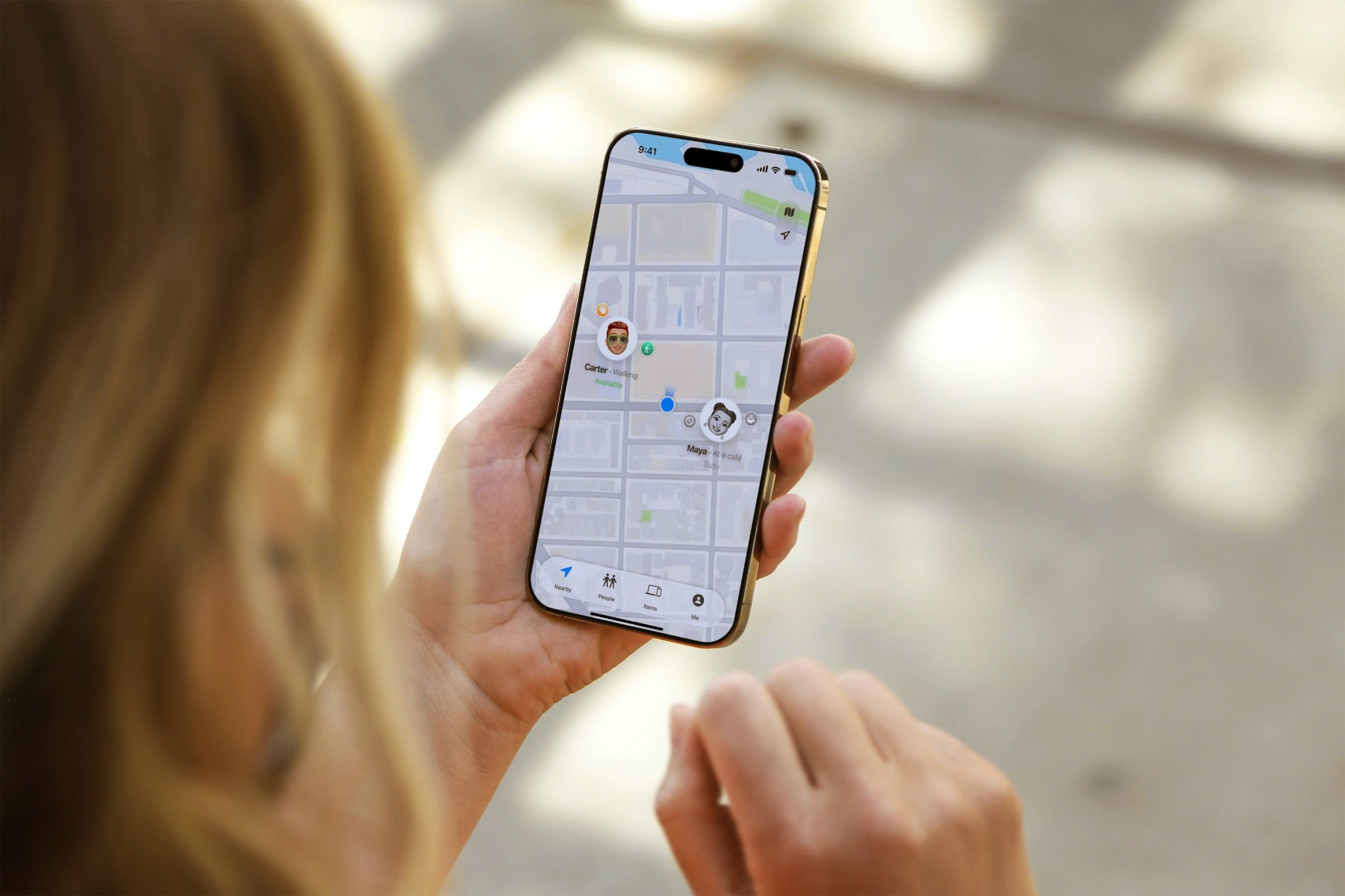
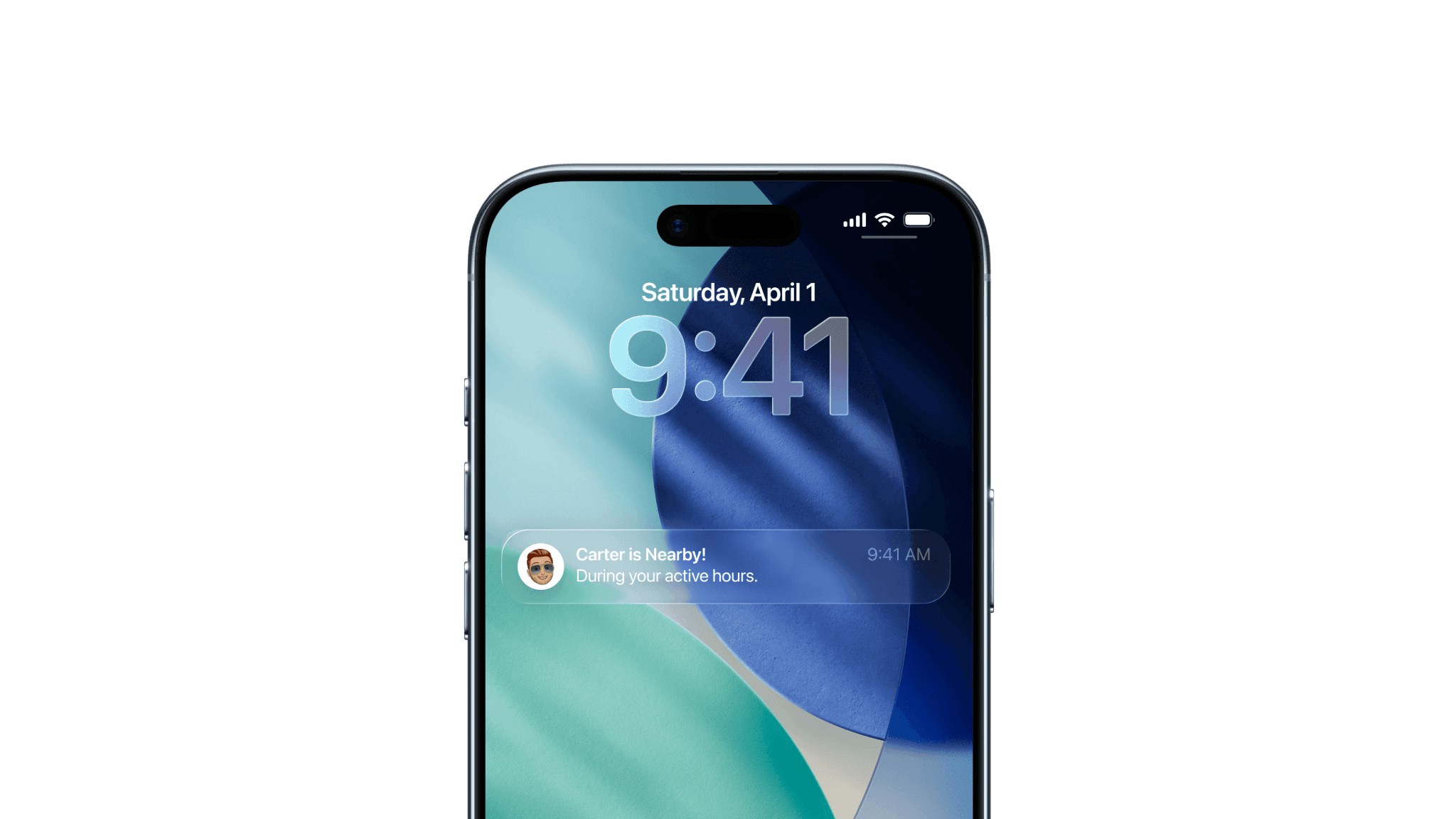
The Nearby tab surfaces friends who are within proximity during your active hours.

Rather than broadcasting exact locations, it signals presence. You can see who is nearby and open to connection, without needing to message first.

This creates moments of awareness and connection without interruption.

Inside the Profile

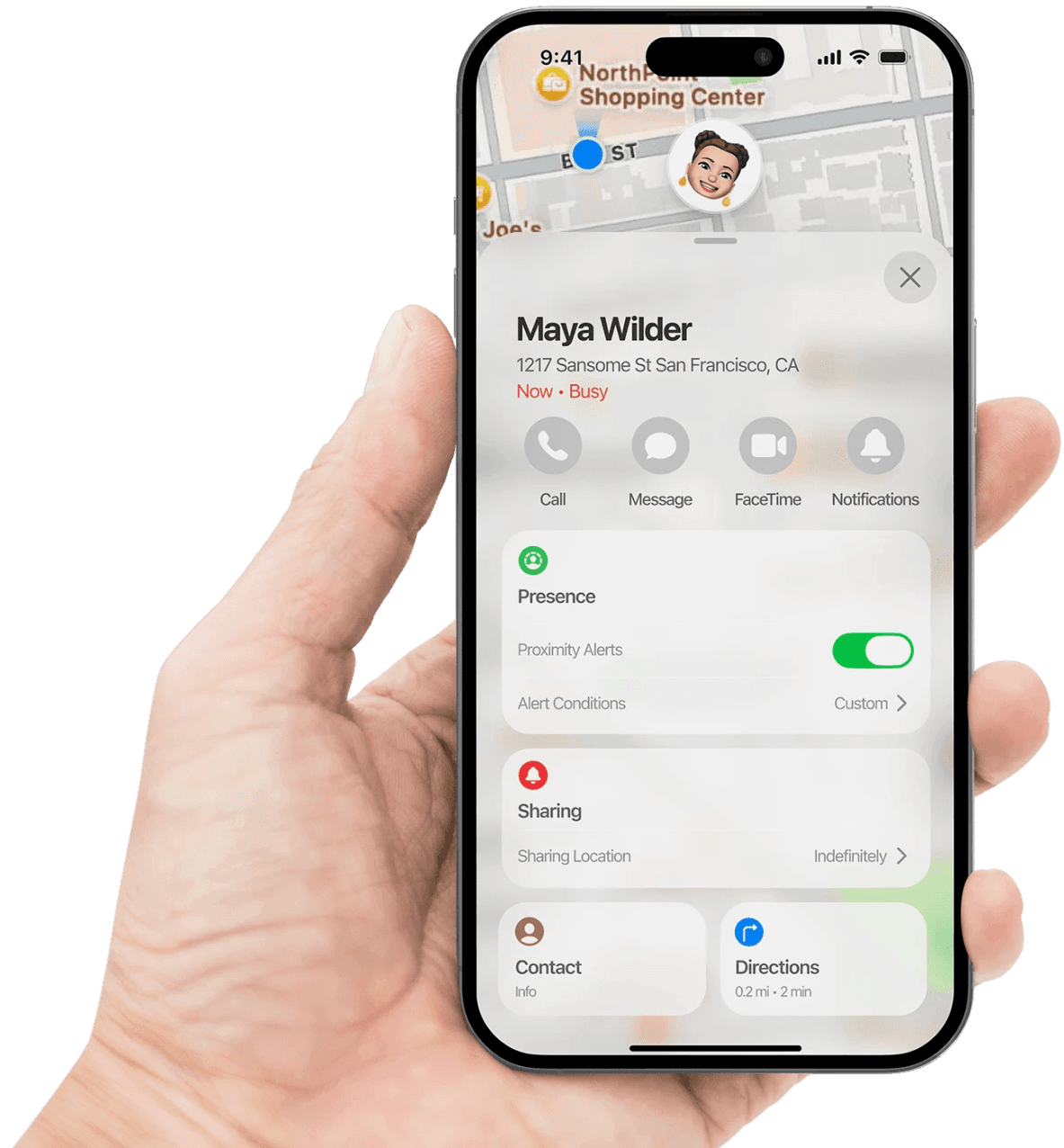
Selecting a friend moves the experience from awareness to intention.

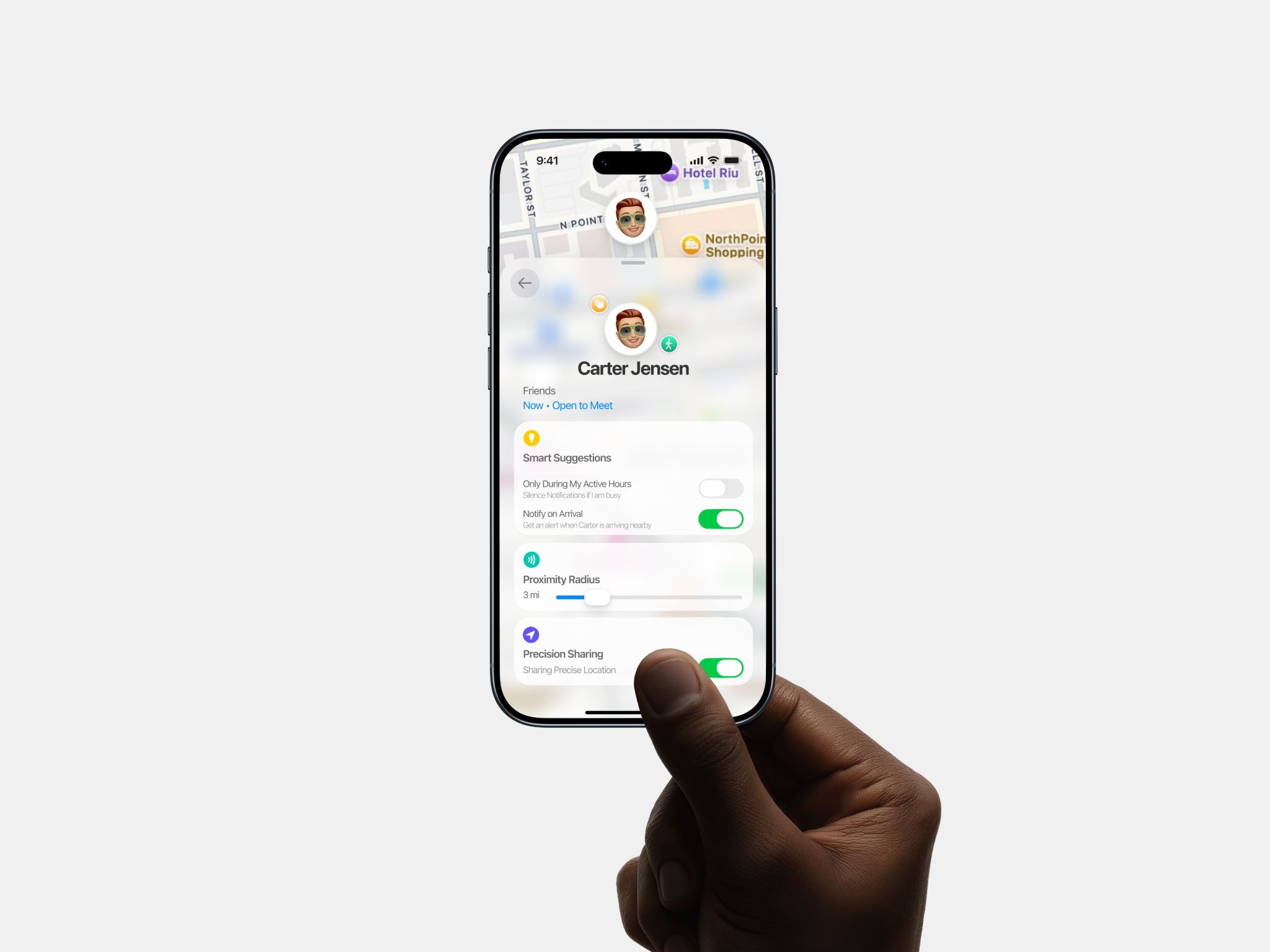
Within the profile, visibility becomes adjustable. Users can enable proximity alerts, set active hours, and choose the level of how precise their location is shared whether nearby, approximate, or exact.

Control lives inside the relationship itself. Presence is no longer fixed. It adapts based on context and comfort.

Mick, you delivered an exceptionally polished final presentation. The visual execution is outstanding and the prototype demonstrates sophisticated iOS design patterns. Your wireframes show complete user journeys. The progression from map view to friend profile to privacy controls demonstrates systems thinking. You understand how pieces connect. Your visual design is production-quality.

— Zlata I.

UX Design Instructor, BrainStation
VP, Manager UX Design, JPMorganChase

Copyright © 2026

Mick Jacobs

Copyright © 2026

Mick Jacobs